Bulk convert AVIF to JPG/PNG with one click
Upload multiple AVIF images, choose the output format, and download everything inside a share-ready ZIP. Perfect for AVIF to JPG bulk jobs—free, no signup, 100% in your browser.
Start batch conversionWhy do you need a bulk AVIF converter?
Real-world compatibility
Many CMSs, legacy browsers, and mobile apps still can't read AVIF. Mass converting to JPG/PNG prevents broken uploads.
Save production time
Handling files one by one is slow and error-prone. Batch mode lets you process dozens of images in a single run.
Ready for every channel
JPG works better on social media and blogs; PNG keeps transparency for logos, UI, or product listings.
Core features of the bulk/batch converter
Bulk upload with thumbnails
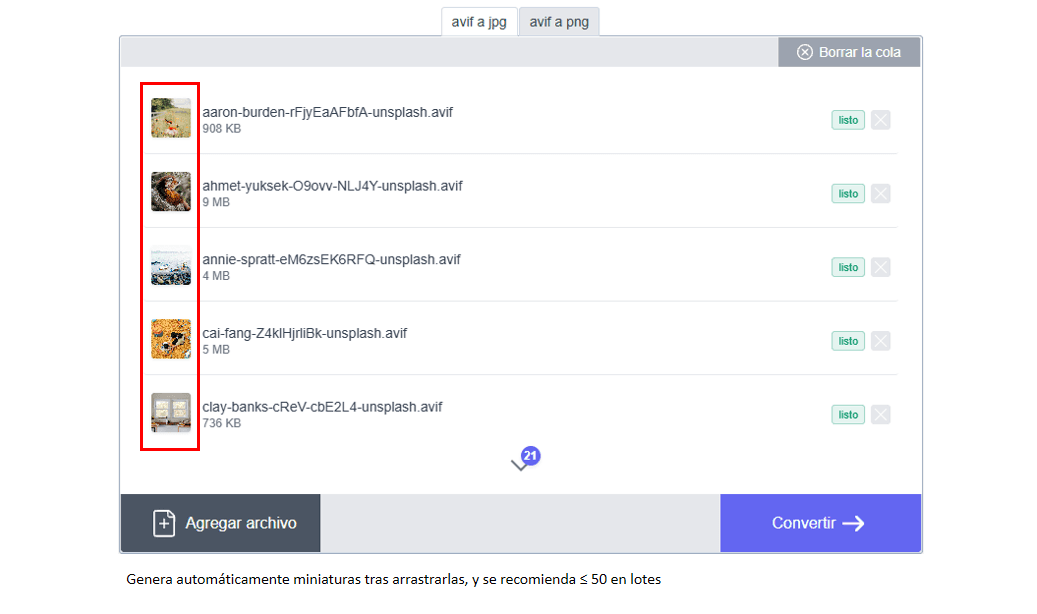
Drag several AVIF images or pick them from your file explorer. To keep things smooth we recommend batches of up to 50 files - you can always split them. After uploading, thumbnails let you quickly review every item in your AVIF to JPG bulk run.
Automatic ZIP download
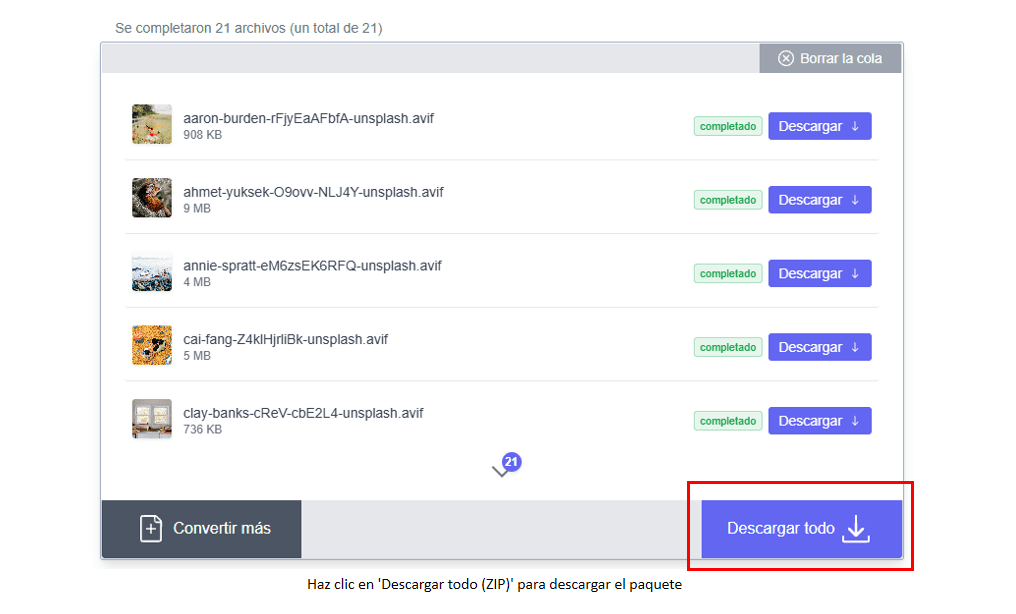
Once conversion finishes, hit "Download all (ZIP)" to grab every JPG/PNG in a single package. Filenames stay intact and you can still download individual images if you need, even during a large AVIF to JPG bulk session.
JPG and PNG outputs in the same batch
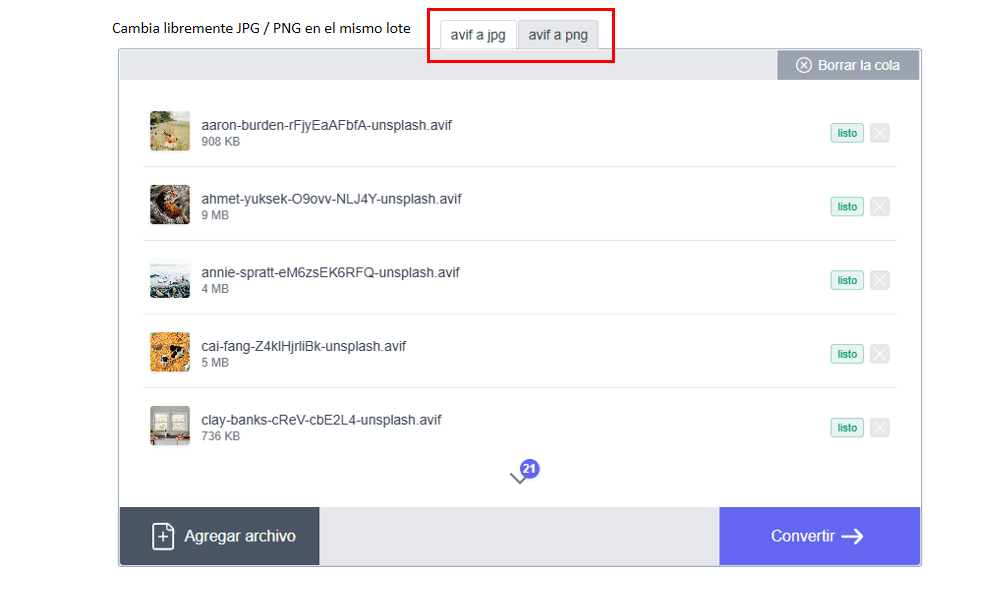
Switch between JPG (maximum compatibility) and PNG (for transparent backgrounds) within the same session. There's no need to rerun the process for each format.
Local processing, no installs
Everything runs inside your browser; files never leave your device. Works on Chrome, Edge, Firefox, or Safari, both desktop and mobile.
Unlimited and free
No accounts, no subscriptions, and no hidden caps. Use it for one-off requests or daily production pipelines.
How the batch flow works
1. Upload AVIF files
Click "Select files" or drop your images. For heavier jobs, split them into groups of up to 50 files and remove or reorder items whenever necessary.
2. Choose the output format
Select JPG for lightweight, broadly compatible files, or PNG when you need to preserve transparency and solid colors.
3. Convert and download
Press "Convert" to process the batch. Then download images individually or use "Download all (ZIP)" for the entire package.
Bulk mode FAQ
How many images can I convert at once?
There's no hard limit; it depends on your device's RAM and CPU. We suggest batches of up to 50 images for smooth performance; if you need hundreds, split them into multiple runs.
Does the ZIP change file names?
No. The ZIP keeps the original names and the order of the batch so you can identify every file easily.
Do I have to download the ZIP if I only need a few files?
No, each converted image can be downloaded individually. The ZIP is just a shortcut for sharing or archiving the whole batch.
Does conversion use a lot of resources?
It uses your browser's resources. Close heavy tabs, work in moderate batches, and refresh the page if you notice slowdowns; that prevents crashes.
Should I compress images before converting?
Only if you want even smaller outputs. The converter already produces optimized JPGs while keeping quality, but you can pre-compress AVIF files if needed.
Tips and best practices

Organize folders by project, client, or date so you can package and send them faster after conversion.
Set a naming convention (e.g., product_color.avif) before uploading so the converted files keep the same order.
Clear your browser cache periodically when working with large batches; it frees memory and avoids freezes.
On iOS or Android, add the tool to your home screen for quick access and import images straight from the gallery or file manager.
After downloading the ZIP, upload it to your shared cloud (Drive, Slack, Teams) so the entire team gets every image at once.
Typical use cases
Design studios
They receive AVIF batches from clients and need JPG/PNG versions for older tools or quick reviews.
E-commerce teams
They turn supplier AVIF catalogs into PNG with transparent backgrounds for product listings, then upload the ZIP to their platform.
Social media teams
They shoot high-quality AVIF assets and export lightweight JPGs for campaigns or daily posts.
Creative freelancers
Designers and photographers working with global clients package deliveries in ZIP files for email or cloud sharing.
Dev/Test & QA
They quickly prep JPG/PNG versions to verify compatibility in legacy browsers or AVIF-less devices.
Need to double-check privacy before running an AVIF to JPG bulk job? Learn how our no-upload AVIF converter works. See the privacy-first converter
Ready to batch-convert your AVIF files?
Upload your files, choose the format, and download everything in a ZIP - no limits, no installs, no hidden fees — ideal for any AVIF to JPG bulk workflow.
Try the batch converter